


1 September 2026 · 11 min read
3 Quick Wins From a Technical SEO Audit You Can Verify in Minutes

A technical SEO audit identifies crawl, indexation, and performance blockers, then delivers a prioritized action plan you can verify in minutes. Start by running curl -A "Googlebot" https://yoursite.com/robots.txt to confirm the file loads clean and your sitemap URL inside it returns a 200 status. A tool like DBLScanner automates this check alongside 200+ others, but the first move is always the same: look at what the robots.txt actually says, not what you assume it says.
TL;DR:
- Verify robots.txt is accessible and accurately reflects sitemap URLs, especially after fixing, by bypassing CDN caches with curl requests.
- Map redirect chains to ensure they are no longer than two hops and fix orphan pages by adding internal links within three clicks of the homepage.
- Focus on fixing core Web Vital issues at the page-template level, emphasizing LCP, CLS, and INP, which impact real user experience more than lab scores.
- Audit hreflang tags thoroughly, confirming reciprocal links, valid ISO codes, and that URLs do not redirect or return errors, to optimize international SEO.
- Use concrete evidence like PageSpeed scores, Search Console screenshots, and curl outputs to support all findings and prioritize fixes effectively.
Table of Contents
- What Goes Into an SEO Audit Report
- How Do You Check Crawlability and Indexation?
- Auditing Site Architecture, Redirects, and Internal Links
- Which Core Web Vitals Actually Matter for SEO?
- Fixing On-Page Tags and Structured Data at Scale
- Security, Mobile Rendering, and Accessibility Basics
- Turning a One-Time Audit Into Ongoing Monitoring
- Getting Hreflang Right for International SEO
- Why Evidence Beats Opinion in Every Audit
- Automate the Audit, Then Never Lose the Fixes
- Sources
What Goes Into an SEO Audit Report
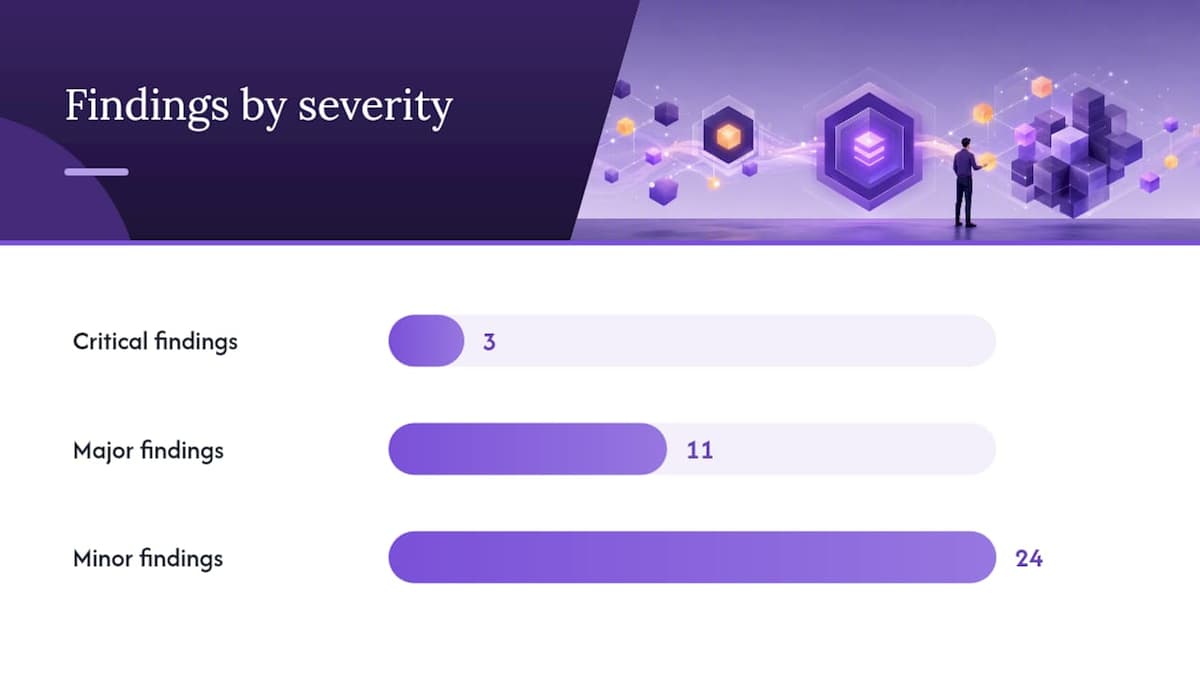
A useful seo audit report doesn’t read like a bug tracker dump. It opens with a status line, something like “3 critical, 11 major, 24 minor findings,” so anyone skimming it in thirty seconds knows how bad the week is about to get. Critical findings block indexing or crawling outright. Major findings hurt rankings or user experience. Minor findings are cleanup.
Three quick wins show up in almost every seo audit report format worth using:
- Robots.txt errors — a stray
Disallow: /left over from staging. - Sitemap mismatches — URLs listed that 404 or redirect, or worse, canonical pages missing entirely.
- A single major redirect chain — often on the homepage or a top category page, silently bleeding link equity.
Verify each one before you claim it’s fixed: refetch robots.txt with curl, request reindexing in Google Search Console, and rerun the affected URL through PageSpeed Insights. Effective audits combine Search Console, a crawler, lab tools, and log data, and the output should be a ranked plan, not a wall of errors.
Pro Tip: Screenshot the Search Console Coverage report before and after every fix. A before/after pair is the fastest way to prove a change worked, and it’s the first thing a client or manager asks for.
How Do You Check Crawlability and Indexation?
Run the checks in dependency order. Fixing on-page tags before confirming Google can even reach the page wastes effort, since audits should follow a defined sequence: crawl access, then indexation, then everything else.
- Fetch robots.txt directly, bypassing cache. CDNs sometimes serve a stale or staging version of the file even after you’ve fixed it live, so a cache-busted curl request is the only way to know what Googlebot is really seeing.
- Open the XML sitemap and spot-check URLs. Every URL listed should return a 200, match the canonical version, and not be marked noindex. A sitemap full of redirects or 404s tells Google your site data can’t be trusted.
- Pull the Search Console Coverage and Crawl Stats reports. A sudden drop in indexed pages usually traces back to a template change, a bad canonical, or a bulk noindex pushed in a deploy.
- Search for accidental noindex tags and mismatched canonicals, especially on paginated or filtered pages where a developer added a “safe default” that quietly excluded thousands of URLs.
One overlooked detail: staging environments frequently leak a blanket Disallow into production robots.txt files during a rushed deploy, which is why manual verification beats trusting the last crawl.
Auditing Site Architecture, Redirects, and Internal Links
Redirect chains cost crawl budget and dilute link equity with every extra hop. Aim for two hops maximum between any old URL and its final destination, and flatten anything longer immediately.
Orphan pages are the quieter problem. A page with zero internal links might still rank today on the strength of an old backlink, but Google finds it harder to recrawl and trust over time. Keep every page you care about within three clicks of the homepage.
- Map redirect chains with a crawler and flatten anything over two hops.
- Run an orphan page report and add internal links from relevant category or blog pages.
- Canonicalize or block low-value faceted URLs (color, size, sort parameters) before they multiply into thousands of thin pages.
- Fix architecture issues by impact first: a broken redirect on your top landing page beats fixing a stale blog tag archive.
Faceted navigation ranks among the top technical risks for large ecommerce sites, where parameter combinations can generate more crawlable URLs than actual products.
Pro Tip: Sort your redirect chain report by internal link count before fixing anything. A three-hop chain on a page with 200 internal links matters more than a five-hop chain nobody links to.
Which Core Web Vitals Actually Matter for SEO?
Lab scores from Lighthouse tell you what could happen under ideal conditions. Field data from the Chrome User Experience Report (CrUX) tells you what actually happened to real visitors, and field data should be the tie-breaker whenever lab and real-world numbers disagree. The three metrics that matter:
- Largest Contentful Paint (LCP) — how long the biggest visible element takes to load.
- Cumulative Layout Shift (CLS) — how much the page jumps around while loading.
- Interaction to Next Paint (INP) — how responsive the page feels when someone actually clicks or taps.
Pull both the PageSpeed Insights report and the Core Web Vitals data inside Search Console, since they measure different things. High-impact fixes tend to be unglamorous: convert images to WebP and set explicit width/height attributes, defer third-party scripts that aren’t needed above the fold, and tune server response times before touching front-end code.
The mistake most teams make is optimizing for a site-wide average. Core Web Vitals should be measured and fixed at the page-group or template level, because a fast homepage can mask a product template that’s failing for 80% of your traffic.
Fixing On-Page Tags and Structured Data at Scale
Templated sites tend to duplicate title tags and meta descriptions across hundreds of pages without anyone noticing until a crawl report flags it. Fix the template logic, not each page individually.
- Cluster pages by template and check for duplicate or missing title/meta patterns rather than checking page by page.
- Verify canonical tags point to the correct self-referencing URL at the template level, not just on a handful of sample pages.
- Check hreflang implementation for return tags. A missing reciprocal hreflang tag is one of the most common international SEO errors.
- Validate JSON-LD with Google’s Rich Results Test, and confirm the markup matches what’s actually visible on the page, since mismatched or hidden schema risks a manual action.
- For sites over 10,000 URLs, automate template-level checks and sample-check the long tail rather than reviewing every page by hand.
Security, Mobile Rendering, and Accessibility Basics
A few checks take minutes and prevent real damage:
- Confirm every internal resource (images, scripts, stylesheets) loads over HTTPS. One mixed-content asset can trigger browser warnings that scare off visitors.
- Set a calendar reminder for SSL certificate expiry. An expired certificate can take a site offline instantly with no warning from search engines.
- Test rendering across at least three viewport widths using Chrome DevTools’ device emulation, since mobile rendering differences often hide content Google’s mobile-first index never sees.
- Search for content hidden behind
display: noneor zero-opacity elements meant for design, since it can affect both indexing and accessibility for screen reader users.
Turning a One-Time Audit Into Ongoing Monitoring
An audit is a snapshot. Rankings erode when nobody checks it again for six months. Server logs show what Googlebot actually crawled, which is different from what a simulated crawler predicts it will do, and that gap is where crawl budget quietly leaks away on dead pages and parameter duplicates.
A workable cadence: lightweight automated scans monthly, and a full audit immediately before and after any major deploy or replatform.
- Set alerts for robots.txt changes, since one accidental deploy can block your entire site.
- Watch for spikes in 5xx server errors, which often precede a ranking drop by days.
- Flag any new noindex tags that weren’t there in the last scan.
- Diff sitemap contents week over week to catch silent removals.
Pro Tip: If Googlebot keeps hitting a URL that’s returned a 404 for months, that’s not Google being slow. It usually means an internal link somewhere still points to the dead page.
Getting Hreflang Right for International SEO
Hreflang tags tell Google which version of a page to show visitors based on language and region, and they’re one of the most error-prone parts of a technical seo audit checklist for any site with more than one locale. The tag itself is simple: <link rel="alternate" hreflang="en-us" href="https://example.com/us/" />. The implementation almost never is.
The most common failure is a missing return tag. If your /us/ page points to /uk/ with an hreflang annotation, the /uk/ page has to point back to /us/ with the matching tag, or Google ignores the whole pair. Crawl every hreflang cluster and confirm each pair is reciprocal, not just outgoing.
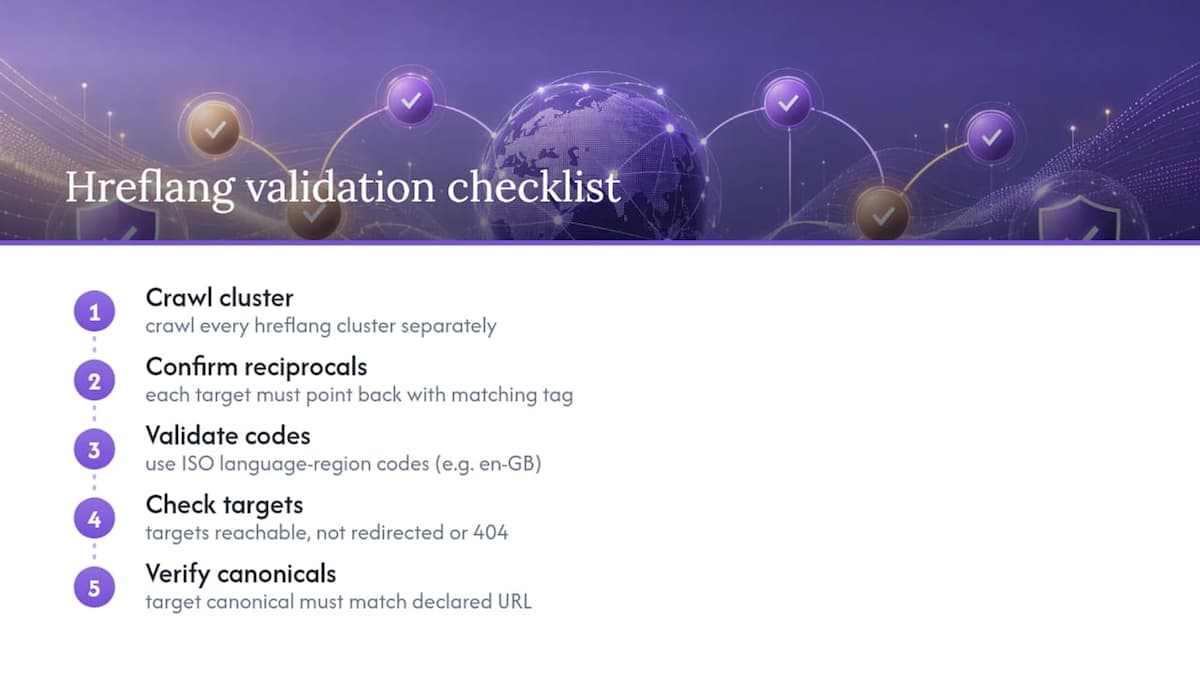
Second most common: hreflang values that don’t match ISO language and region codes. en-uk is not a valid code; it’s en-gb. A single typo silences the entire annotation for that page without throwing an obvious error anywhere in your crawl.
Third: hreflang pointing to a URL that redirects, 404s, or carries a different canonical tag than the one declared. Google treats a redirected hreflang target as unreliable and may disregard it, meaning your carefully built regional pages compete against each other in search results instead of splitting traffic correctly.
Sites running on subdirectories (/us/, /uk/, /de/) tend to have fewer hreflang issues than those mixing subdomains and ccTLDs, simply because the crawl and template logic stays more consistent. Whichever structure you use, audit hreflang as its own pass, separate from general canonical checks, because the two rulesets interact in ways that are easy to get backward.
Why Evidence Beats Opinion in Every Audit
Every finding in an audit needs a receipt. Not “the site seems slow,” but the actual PageSpeed Insights score, the curl output, the Search Console screenshot. If you can’t measure it and show your work, mark it “not measured” rather than guessing, because a confident guess dressed up as a finding is worse than an honest gap.
That evidence-first discipline is what DBLScanner is built around: over 200 automated checks generating tailored improvement plans, multi-site monitoring for teams managing more than one property, and an AI Advisor that converts raw findings into a ranked backlog instead of a static PDF nobody reopens.
— Roger
Automate the Audit, Then Never Lose the Fixes
DBLScanner is the alternative to a spreadsheet full of stale findings: it runs the same evidence-first checks covered above, automatically, and keeps re-checking after you fix them.
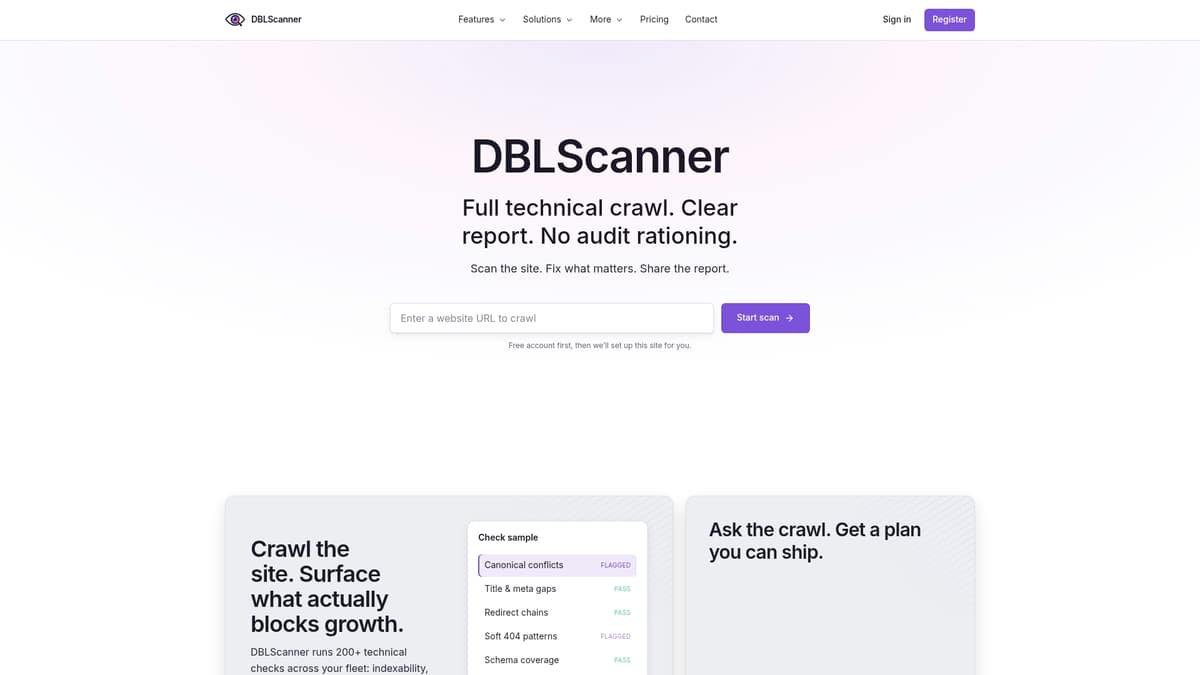
The SEO Crawl engine handles the crawlability, sitemap, redirect chain, and structured data checks from every section above across 200+ individual validations, and flags exactly which fix matters most this week. The AI Advisor takes those raw findings and turns them into a prioritized backlog your team can actually work through, instead of a report that gets skimmed once and forgotten. Uptime monitoring catches the 5xx spikes and certificate expirations before they turn into a ranking drop, so regressions get caught the week they happen, not the quarter after. If you’re managing more than one site, the multi-site dashboard keeps every property’s audit history and open issues in one place instead of scattered across old spreadsheets. Start a trial and run your first automated crawl against a live site to see the findings DBLScanner surfaces on your own domain.